Built and running
What we've built
Every screenshot below is the real system, on your real catalogue. Nothing is a mock-up.
Money and currency
The part you asked about most. Costs go in once; every price in
every currency comes out of them, and nothing customer-facing moves until you have seen the
difference and published it.
The one to look at first
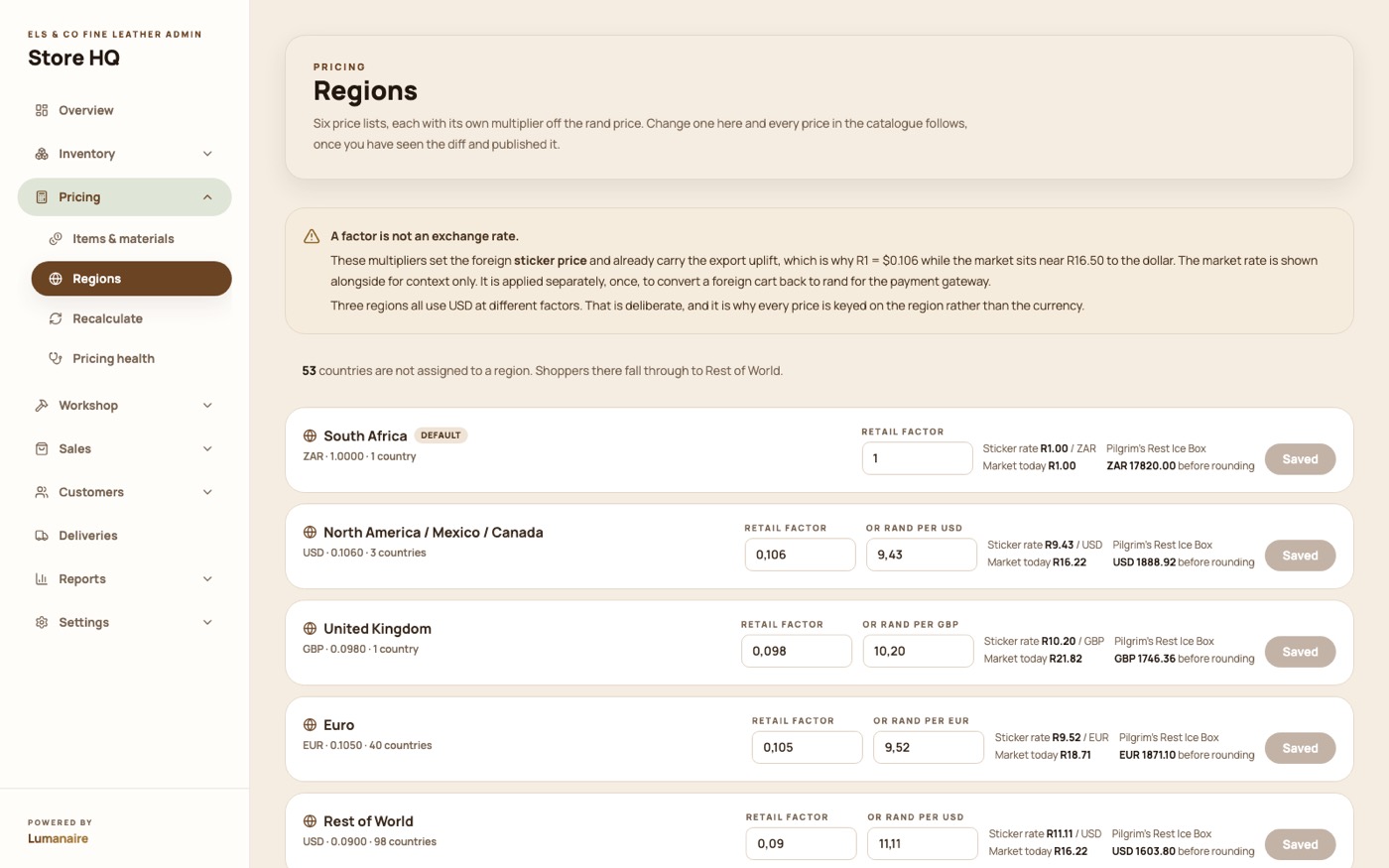
Six price lists, six currencies, one dial each
South Africa, UK, Europe, North America, rest of Africa and rest of world. Each has your
own multiplier, not an exchange rate, which already carries the export uplift.
The live market rate sits next to it for context only, so you can see at a glance that
R1 = $0.106 on your sticker while the market sits near R16.50. Change one factor and
every price in that region follows.
Three of the six regions are USD at different factors. That is deliberate, and it is why
a price is keyed to the region rather than the currency.
Pricing → Regions. Your factor, the market rate for context, and a real product priced in each currency.
The same belt, in four currencies
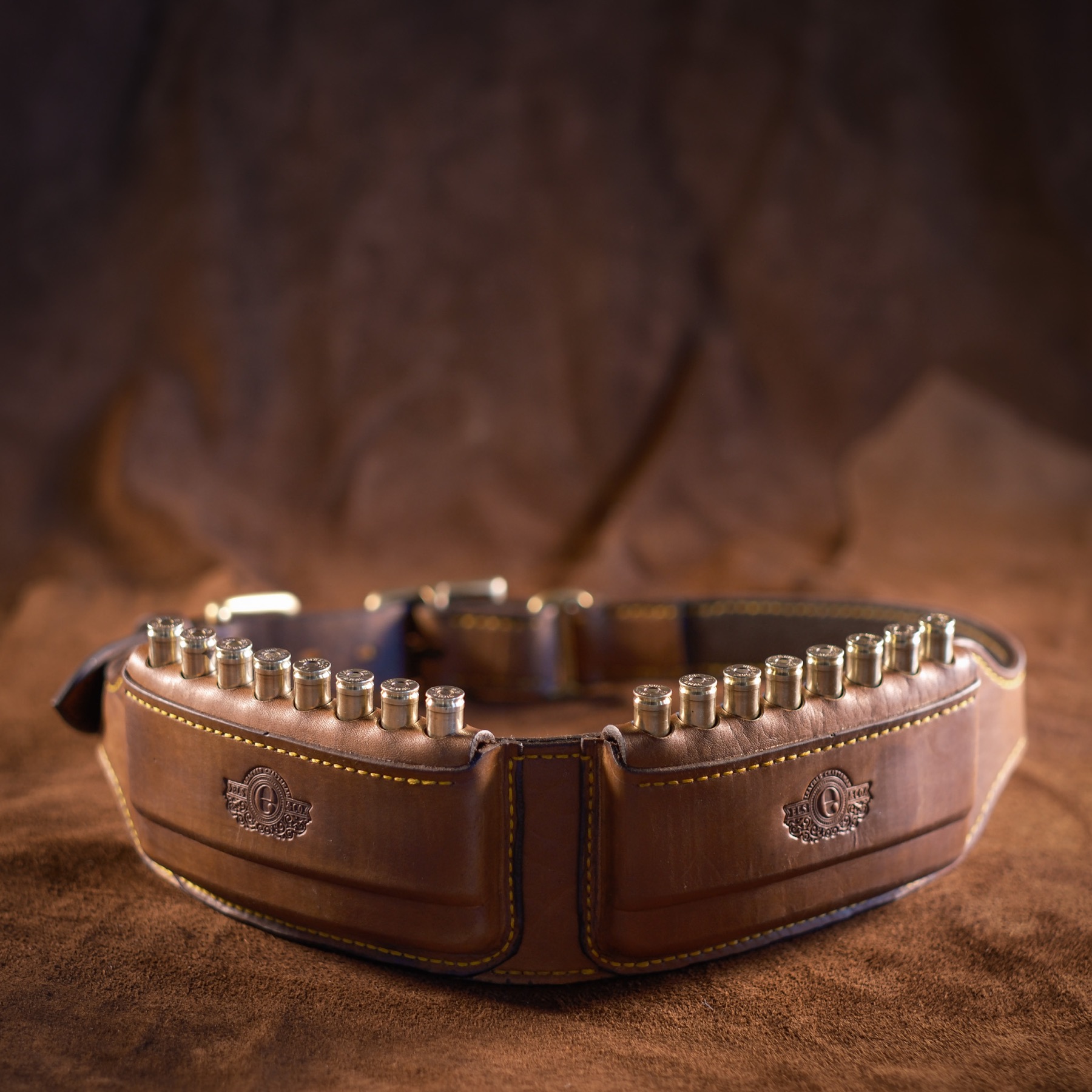
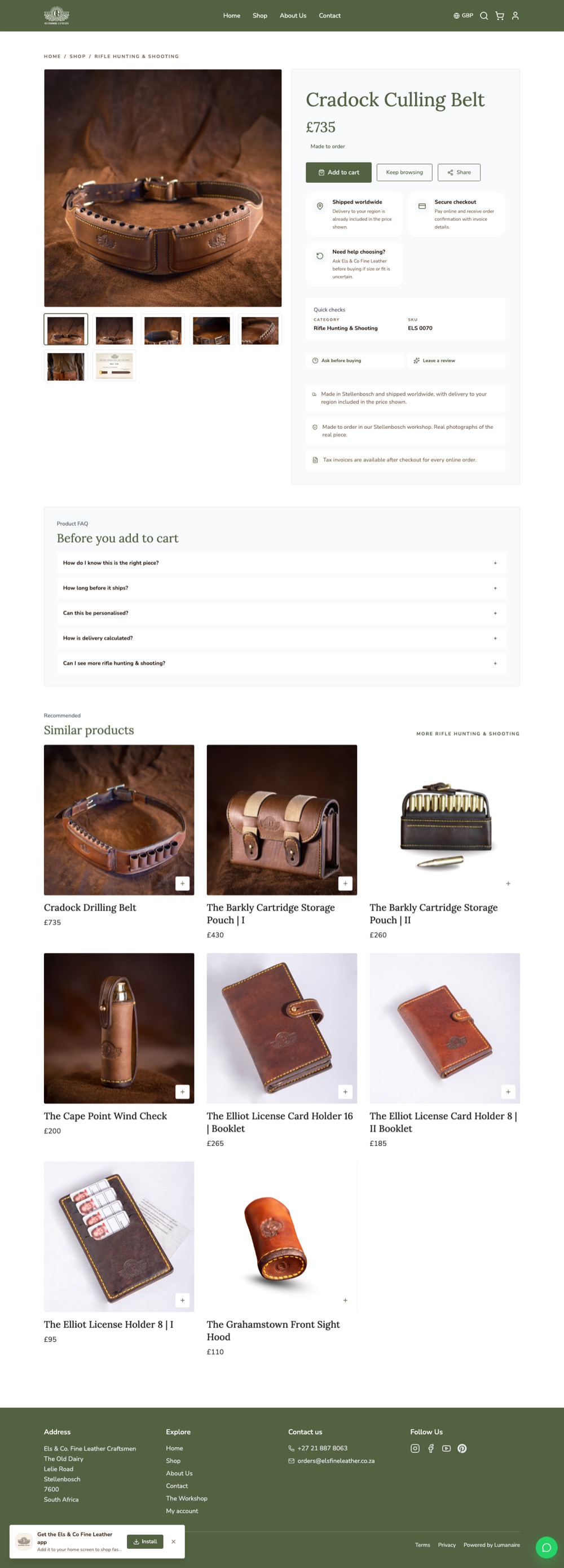
This is the Cradock Culling Belt on the shop, in four of the six regions. One product,
one set of costs, four sticker prices, each rounded to something that looks like a
price rather than a conversion.
The customer never sees a currency picker that lies to them: the region is in the web
address, so the page a shopper in London gets is cached separately from the one in
Stellenbosch and can never be served the wrong price.
ZA R7 520 · UK £735 · US $795 · EU 790 €. The same belt, same day.
Materials and labour, costed once
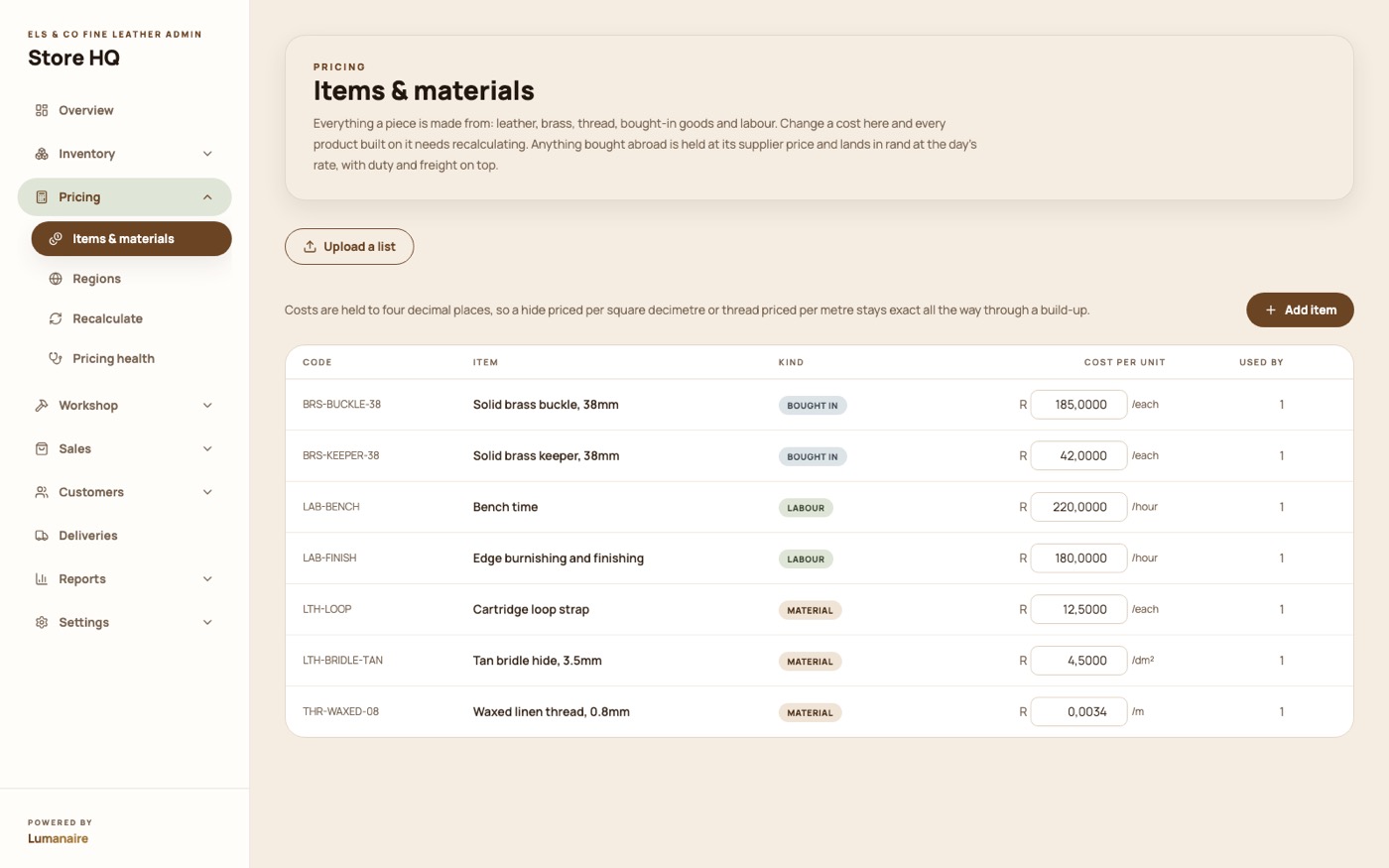
Hides, brass, thread, buckles, canvas, each with its own cost and unit. A piece is
built from them, so when the price of a hide moves you change it in one place.
Costs are held in fractions of a cent so that rounding never drifts across a build-up of
twenty components.
Pricing → Items & materials.
See what a change does before anyone else does
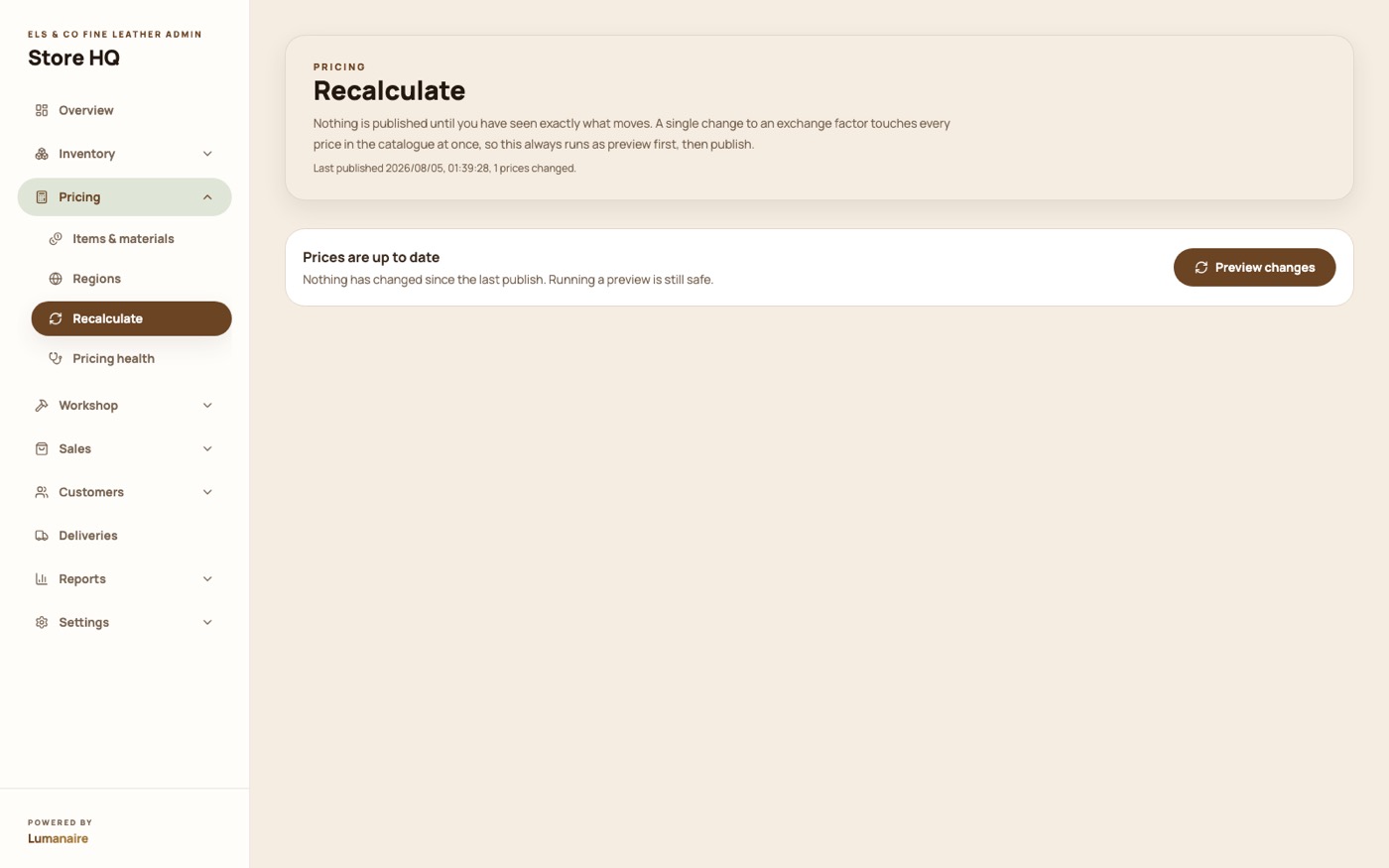
A rate change moves every price in the catalogue at once. So it happens in two steps: a
preview showing exactly what moved and by how much, then a publish.
Until you press publish, the shop carries on with the old prices. When we loaded your
catalogue, this screen showed 582 price rows across 97 products, and confirmed
nothing existing was being repriced.
Pricing → Recalculate. Preview, read the diff, then publish.
A health check on the whole price list
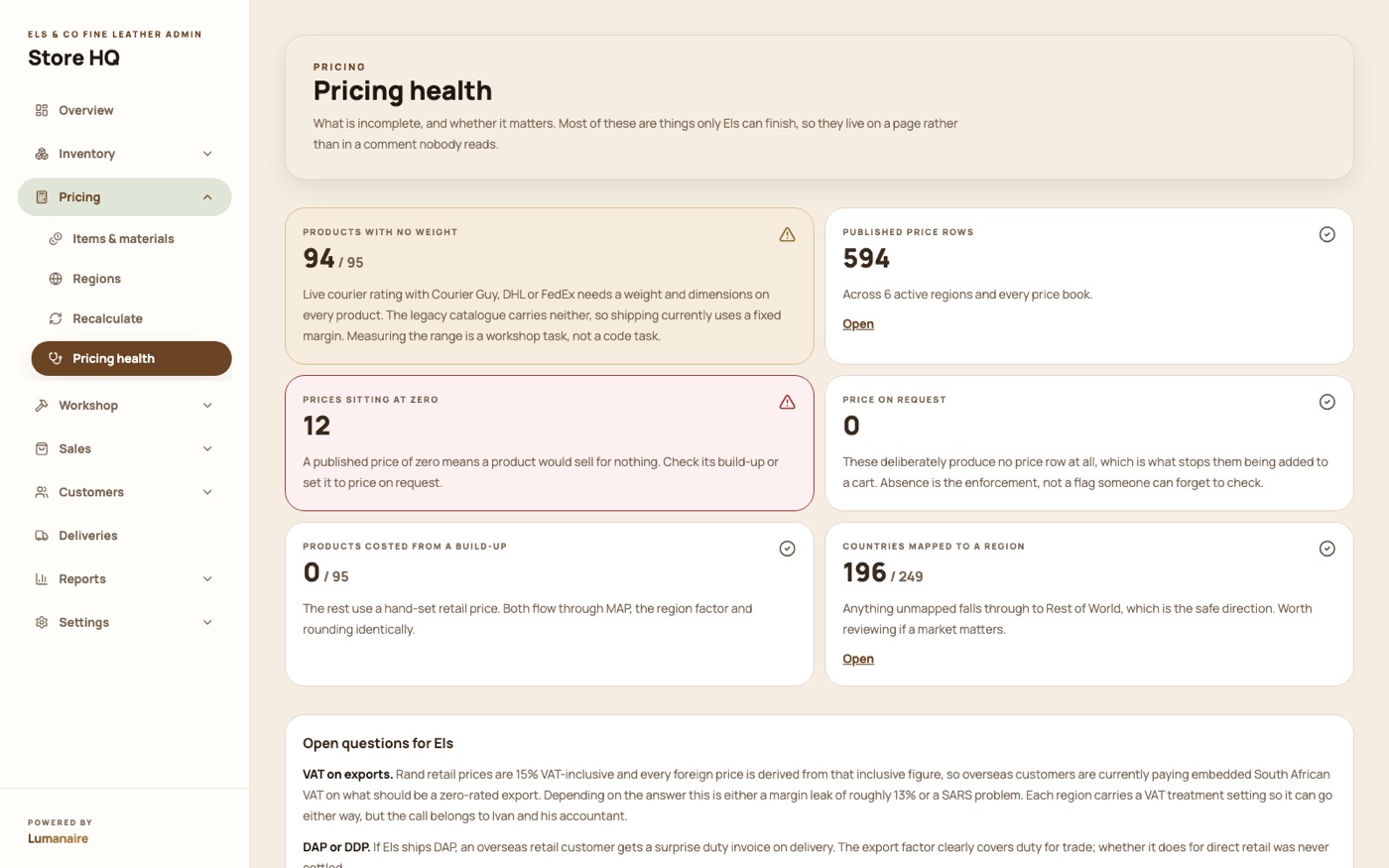
Anything missing a cost, anything with a margin that looks wrong, anything that has not
been recalculated since its materials changed. It is the screen that tells you a price is
stale before a customer finds it.
Pricing → Pricing health.
The shop
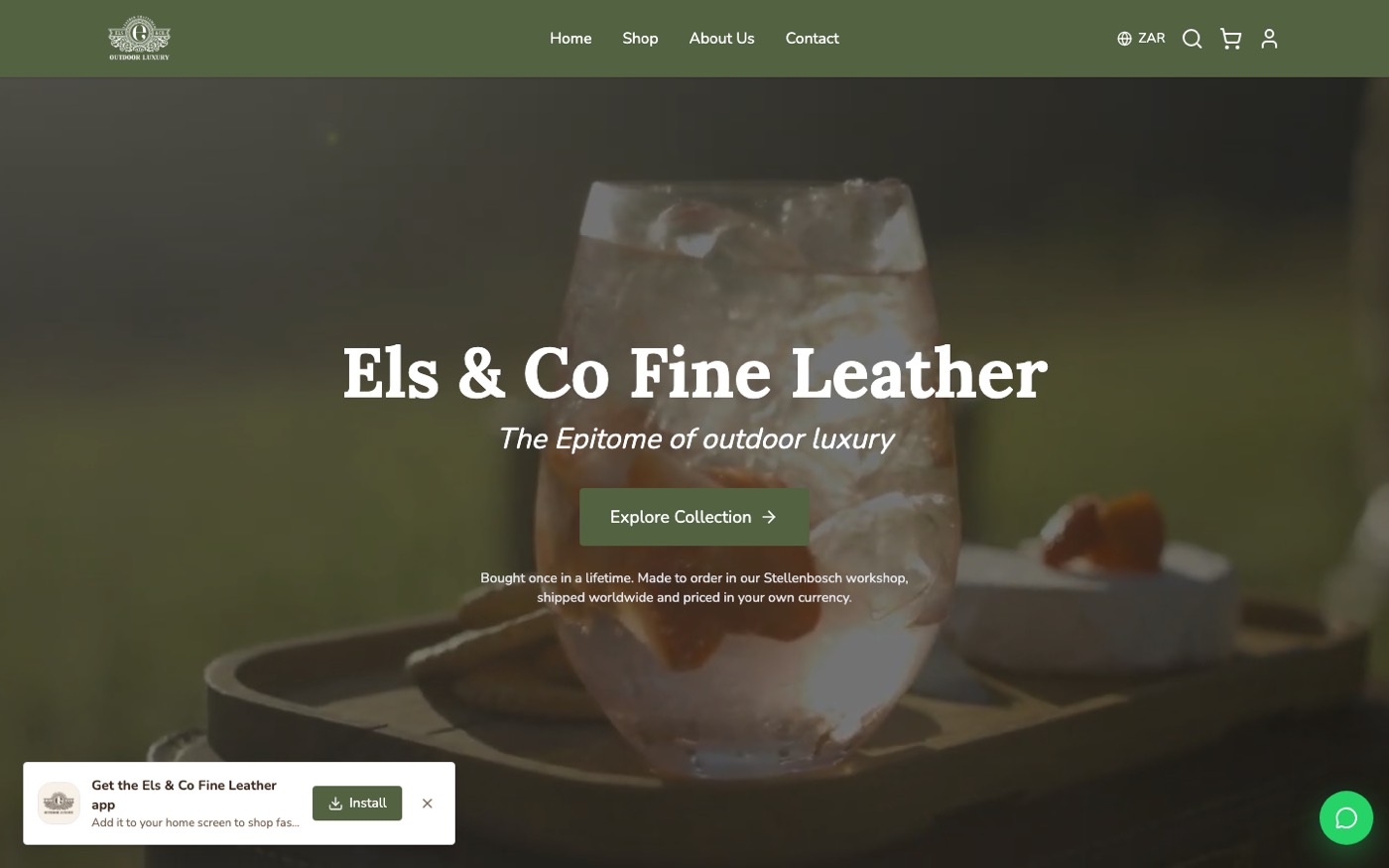
Rebuilt in your own look after your note on 9 August. The
olive, the serif and the film behind the hero are all taken from your existing site.
Rebuilt this week
The storefront, in Els & Co's own look
Field olive, Lora over Nunito, square corners, no drop shadows, all measured off your
own site rather than guessed at. Your “Outdoor Luxury” film plays behind the hero.
Unlike the old site, every page is rendered on the server, so Google can actually read it.
The home page, with your film behind the hero.
97 pieces, nine ranges, your photography
Your whole catalogue, with your names, your SKUs and your prices: Rifle Hunting &
Shooting, Wine Whisky & Cigars, Outdoor, Travel, K9, Slings, Shotgun, Fly Fishing and
Safari Furniture.
Filter by range, brand, price or search. Every piece is made to order, so nothing is
ever wrongly marked out of stock.
The shop, filtered and searchable.
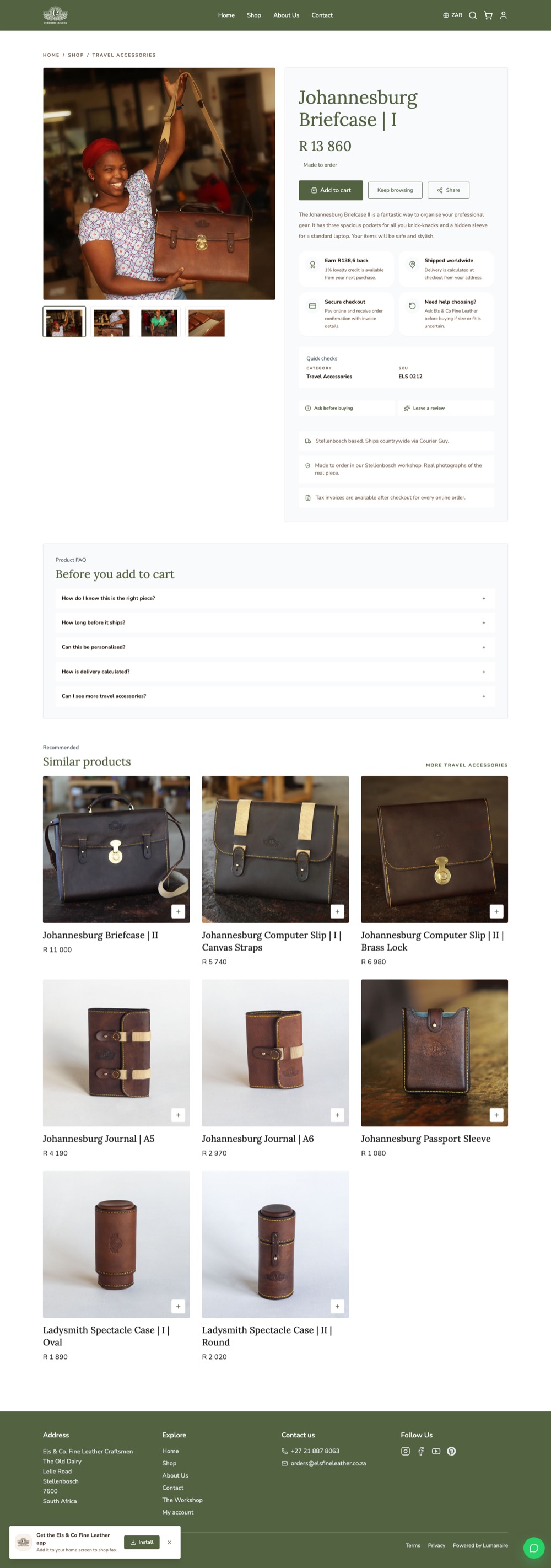
A product page that answers the objections
Photographs with a thumbnail strip and video, sizes where a piece has them, the loyalty
credit it earns, what delivery will cost, and the five questions people ask before they
buy a R13,000 briefcase from a workshop they have not visited.
Similar pieces from the same range sit underneath.
The Johannesburg Briefcase, R13 860.
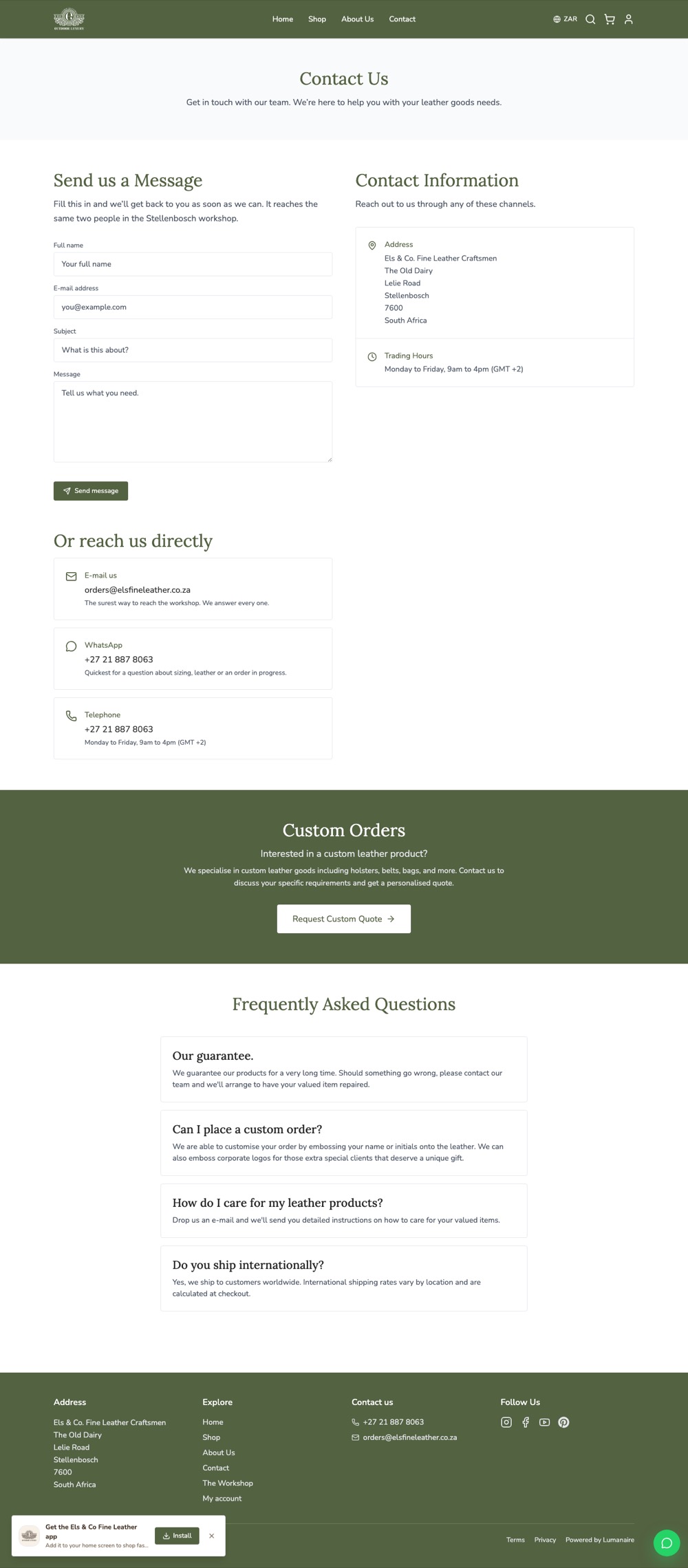
Your story, and a way to reach you
An About page in your own words and a Contact page with a working form, the workshop
address, trading hours and a custom-order enquiry, all of which your current site has
and the first build of this one did not.
Contact, with the form, the hours and the custom-order request.
It works on a phone, and installs like an app
Everything above, on a phone. Customers can add the shop to their home screen and it
opens without the browser furniture.
Orders, customers and email
Every message the shop sends is branded, logged and searchable.
These are real sends, not designs.
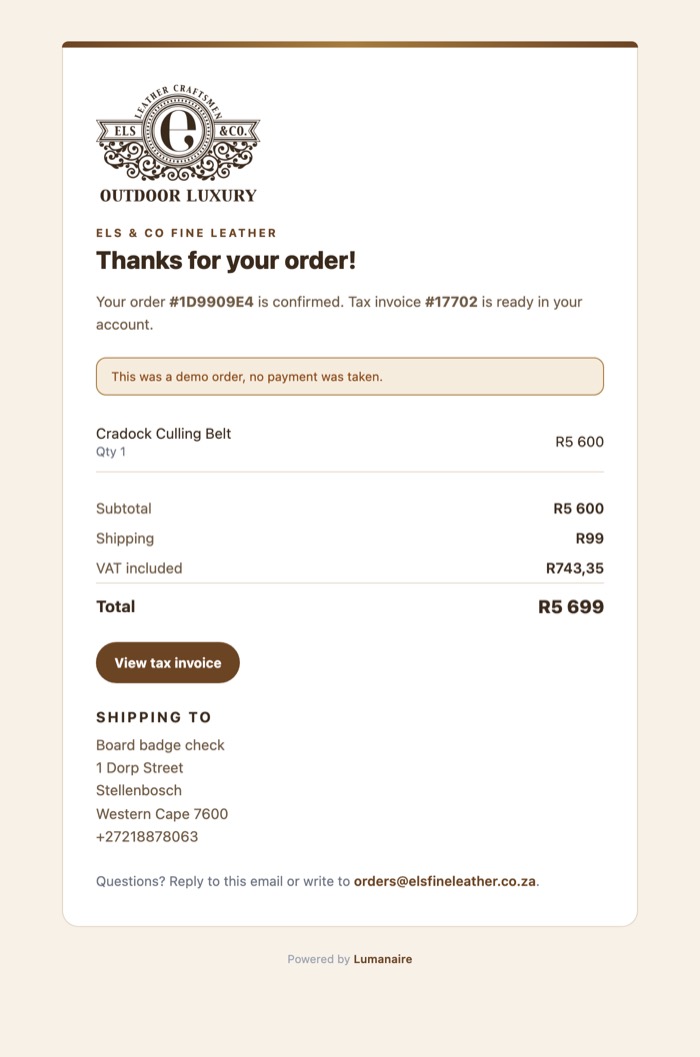
Order confirmations that look like Els & Co
The moment an order is paid, the customer gets a branded confirmation with the pieces,
the VAT, the delivery, and a link to a real tax invoice already waiting in their account.
Reply to it and it comes to the workshop.
A real send, from the log.
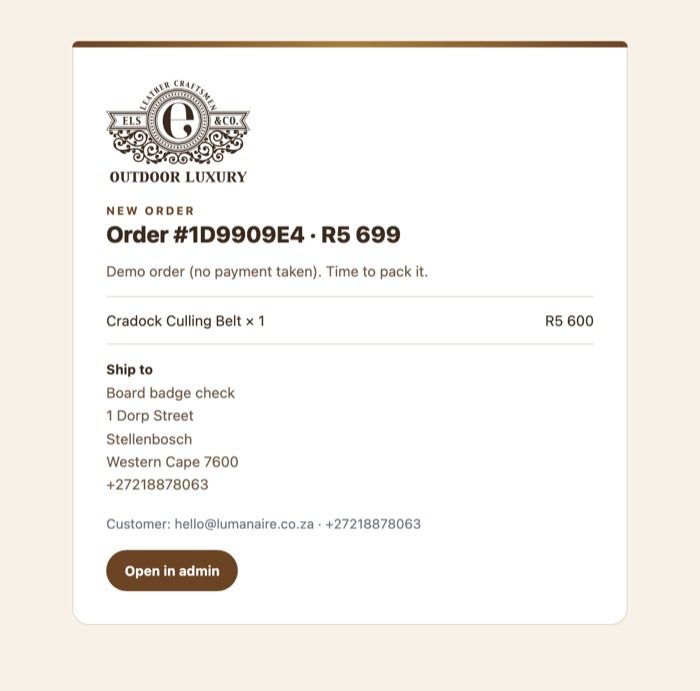
And one to the workshop, so you know to pack it
The same order, in the form you need it: what to make, where it goes, who it is for, and
a link straight into the admin. No forwarding, no retyping.
Sent the moment payment clears.
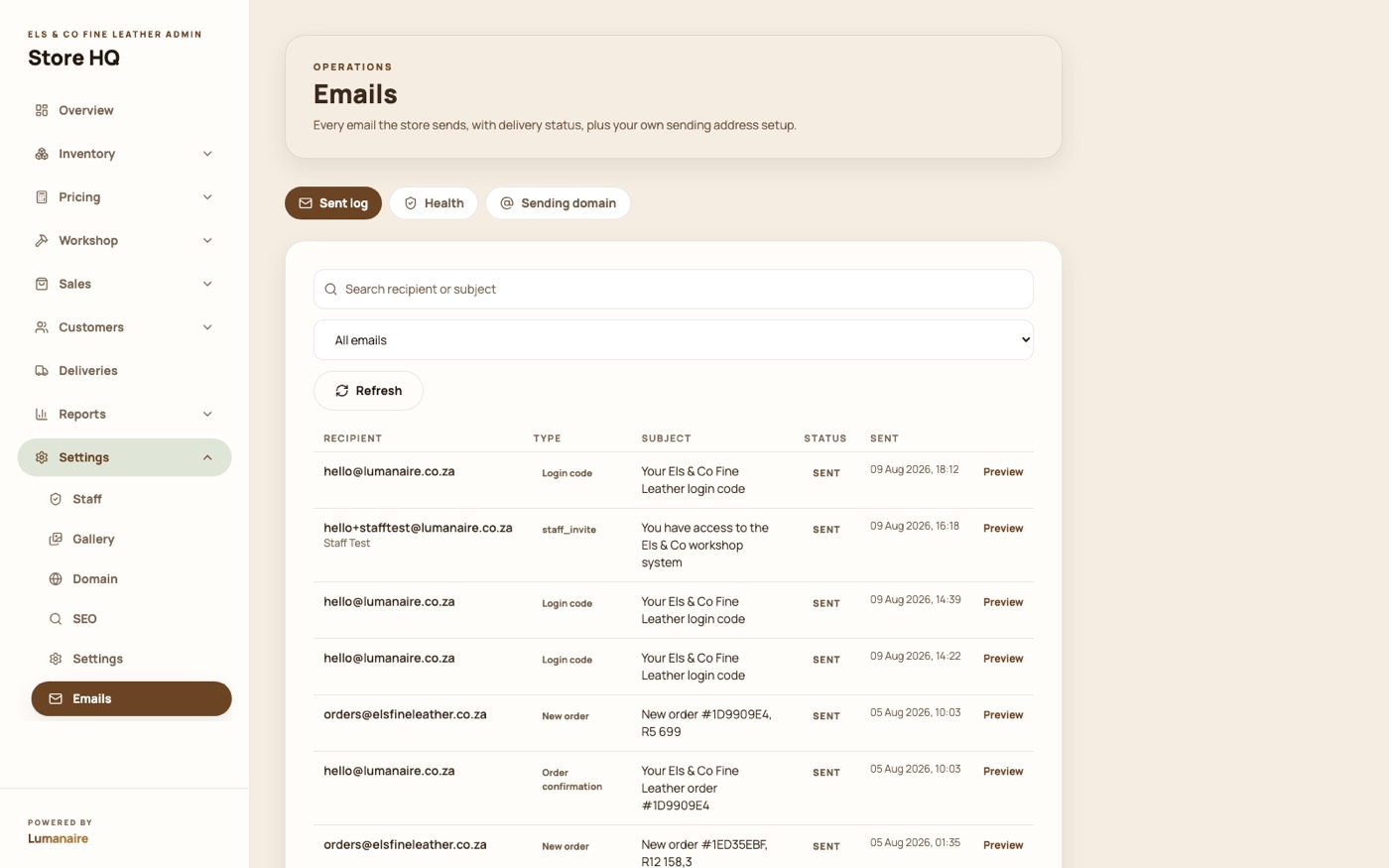
Every email, logged and searchable
Delivered, opened, bounced, and you can open any individual send and see exactly what
the customer saw. No more wondering whether a confirmation landed.
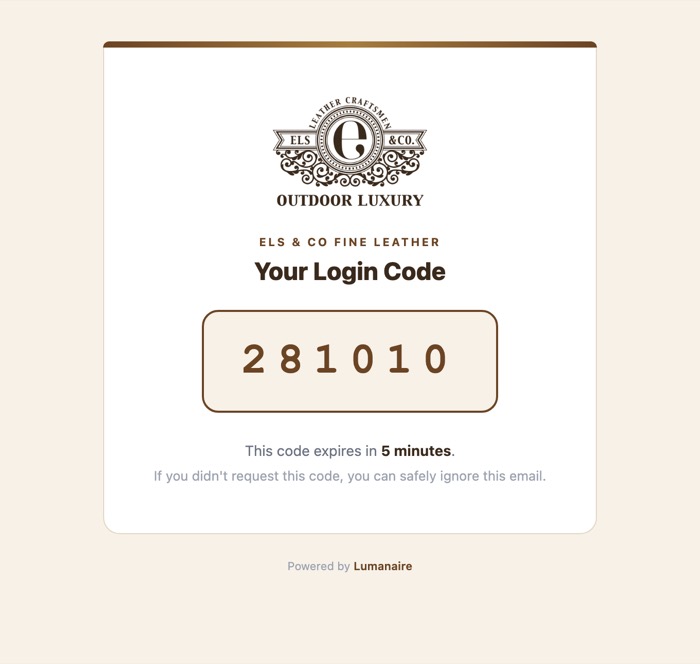
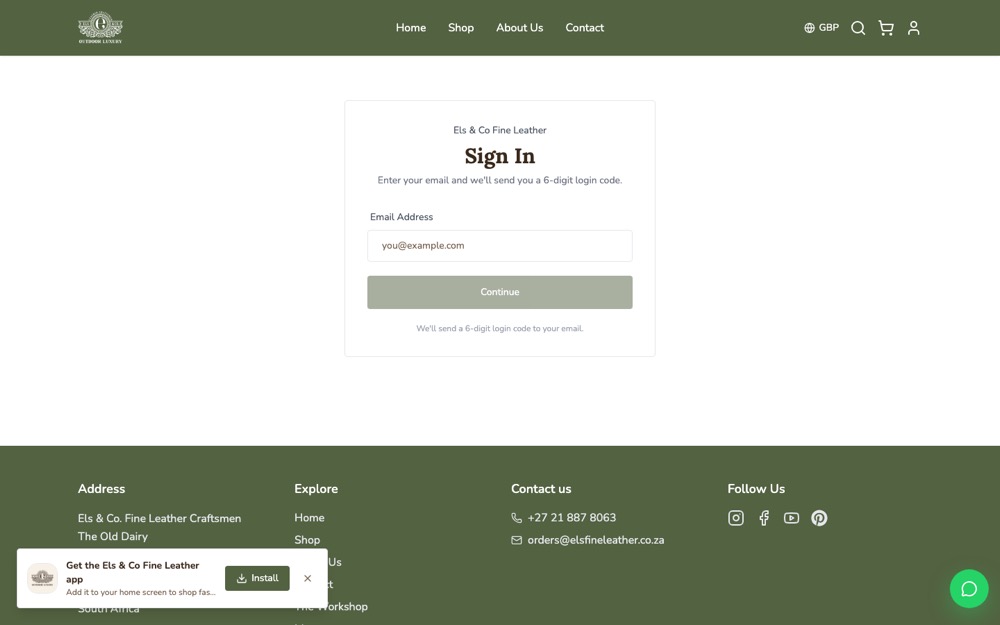
Customers sign in with a six-digit code rather than a password they will forget.
Settings → Emails, with delivery status and a preview of every send.
The workshop
The part that replaces the eight-year-old workshop app and the
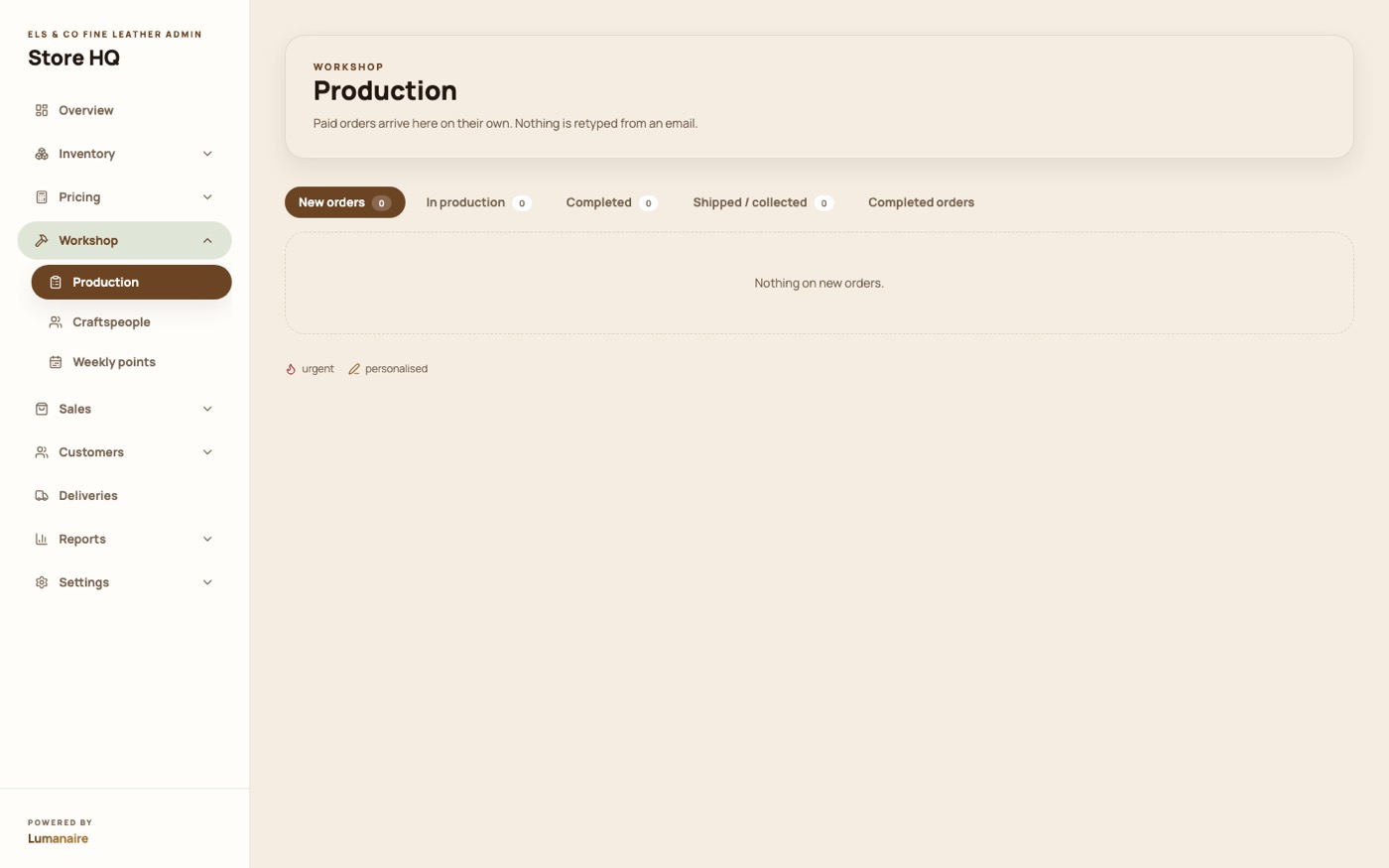
retyping. These screens are empty here only because the shop has not taken its first live
order yet.
Paid orders arrive on the bench by themselves
New orders, in production, completed, shipped. A paid order becomes a job on this board
without anyone touching it, carrying its own job card, and flagged when it is urgent or
personalised.
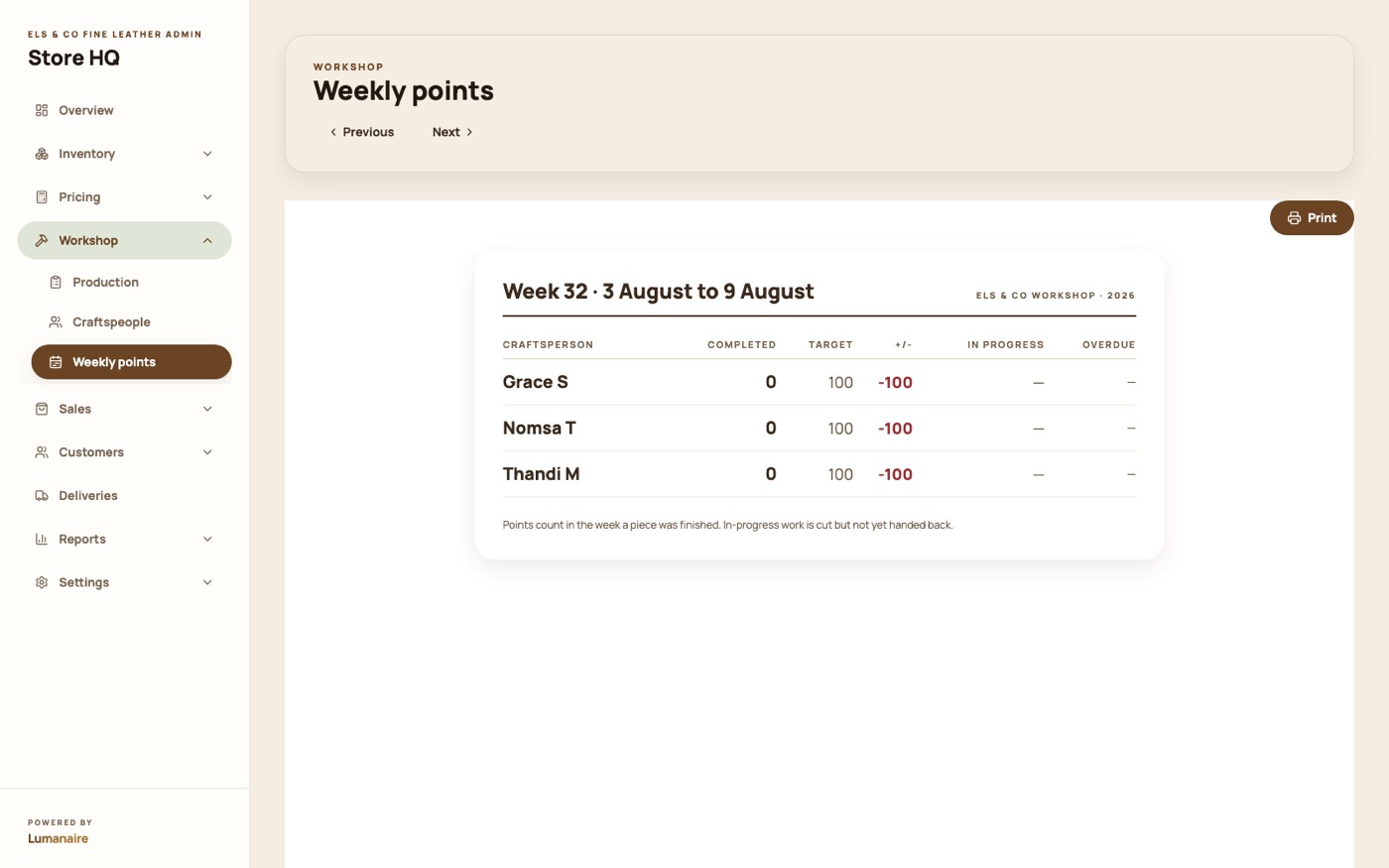
Points, people and the weekly sheet
Each piece carries the points it is worth. Work is allocated to a named craftsperson,
and the weekly sheet totals what each of them completed, the same arithmetic the
workshop already runs, without the paper.
Workshop → Weekly points.
Trade and selling in person
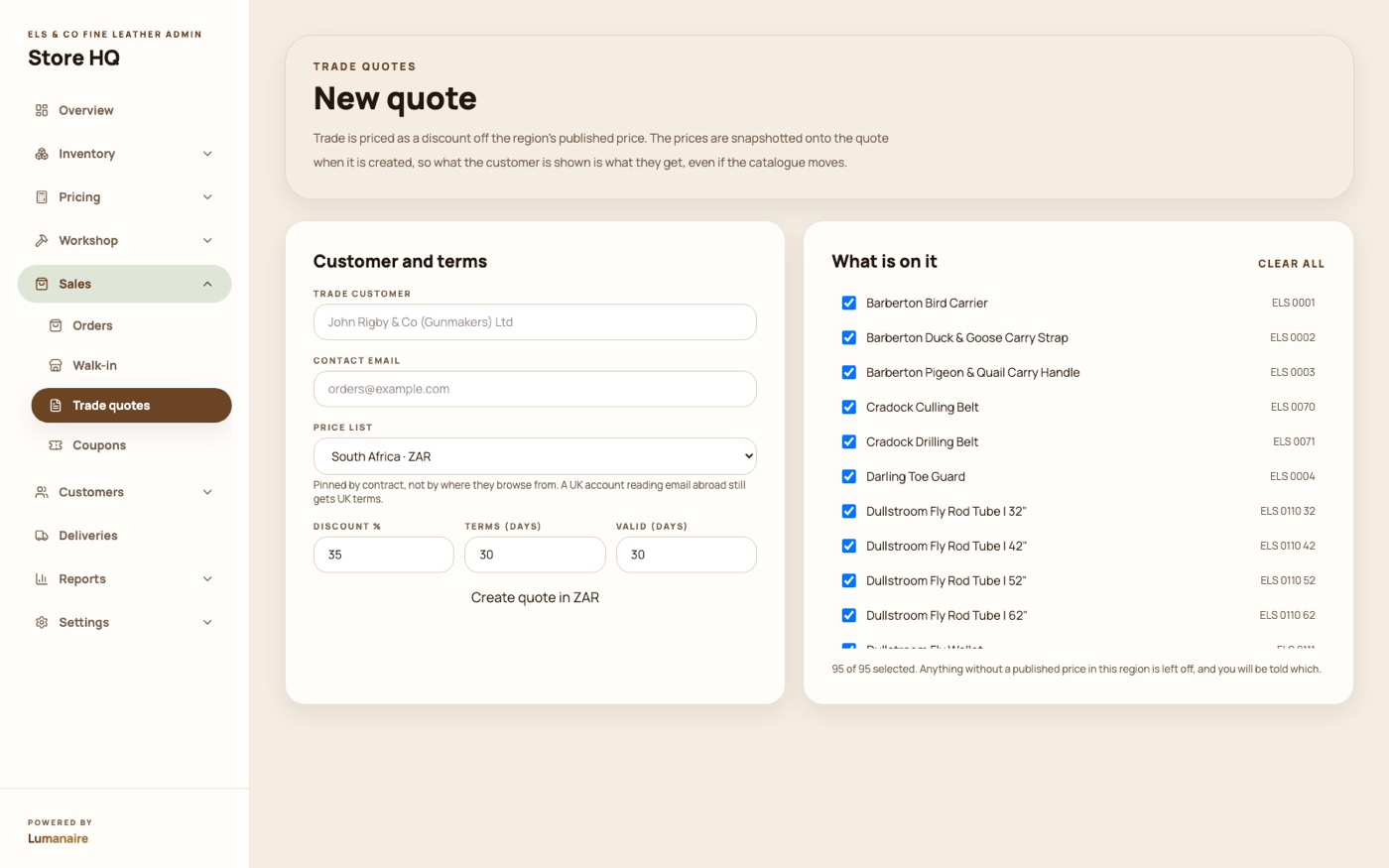
Trade quotes, as a PDF and a working spreadsheet
Build a quote from the catalogue and send it as a branded PDF and an Excel workbook that
recalculates itself when the buyer changes a quantity.
When they accept, it becomes a real order and a trade invoice. It does not have to be
typed again.
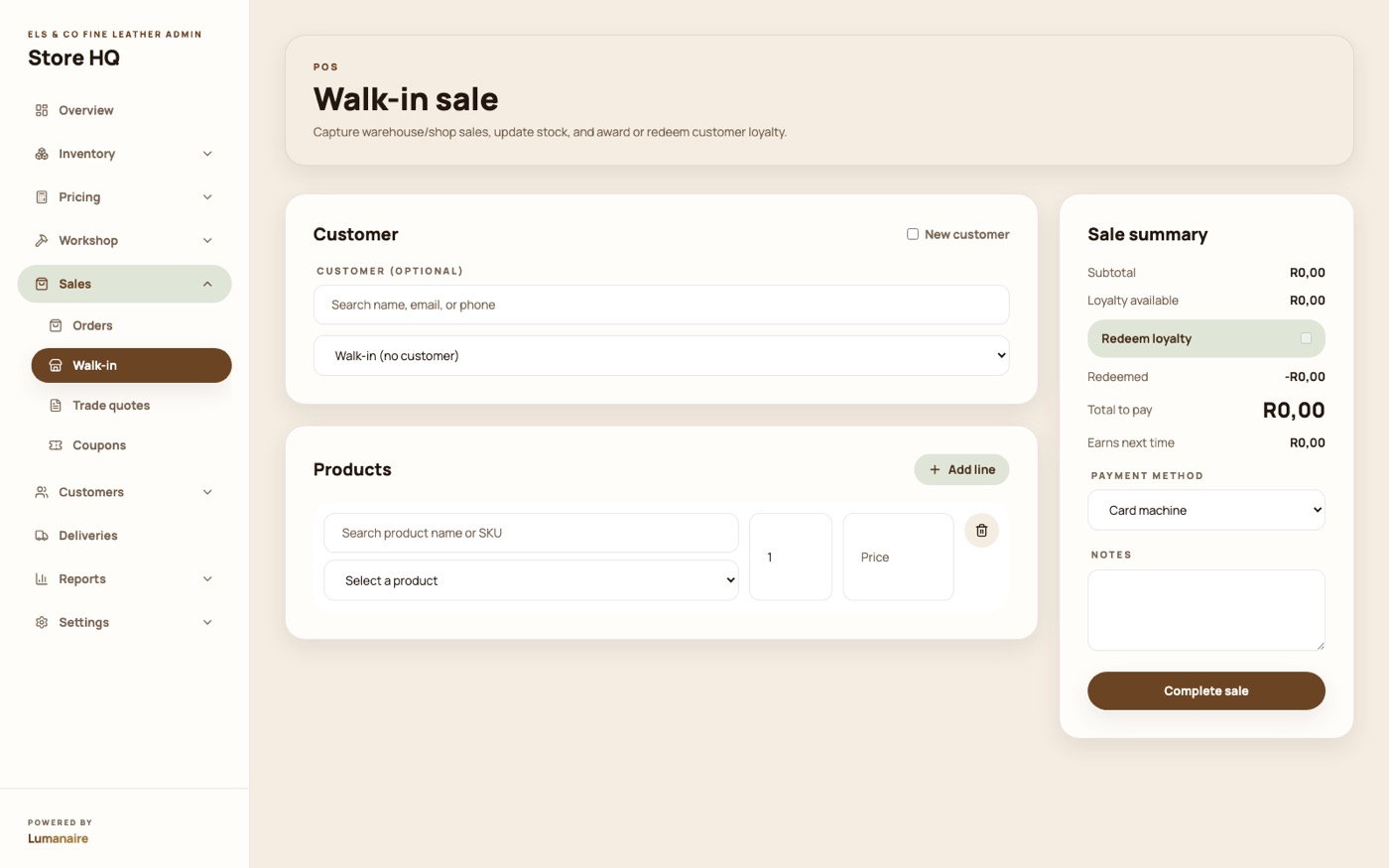
Walk-in sales, in the same book
Someone buys off the shelf in Stellenbosch: ring it up here and it lands in the same
order book, the same reports and the same stock as everything sold online.
Everything else that is in there
Built, working, and not worth a screenshot each.
Delivery runs and a driver board
Group orders into a run, order the stops, and give the driver a screen for the day.
Order tracking
A link the customer can open to see where their piece is, without an account.
Tax invoices and delivery notes
Generated per order, numbered, printable, and waiting in the customer's account.
Stock receipts and suppliers
Book in hides and fittings against a supplier and a cost, feeding the price build-up.
Customers and loyalty
One record per customer, their orders, addresses, and the credit they have earned.
Refer a friend
A customer refers someone; when that order lands, they get store credit.
Coupons
Fixed or percentage, with limits and expiry.
Reviews
Product reviews you approve before they appear, plus your Google reviews on the shop.
The Workshop gallery
Photos and video off the bench, curated by you, shown on the shop.
Reports and analytics
What sold, what it earned, and where the visitors came from.
SEO and your own domain
Page titles, descriptions and sitemap, and your sending domain for email.
Staff access
Give someone access to the back office without sharing a login.